Claude Desktop as Your SEO Co-Pilot: Introducing the Innotek MCP Integration
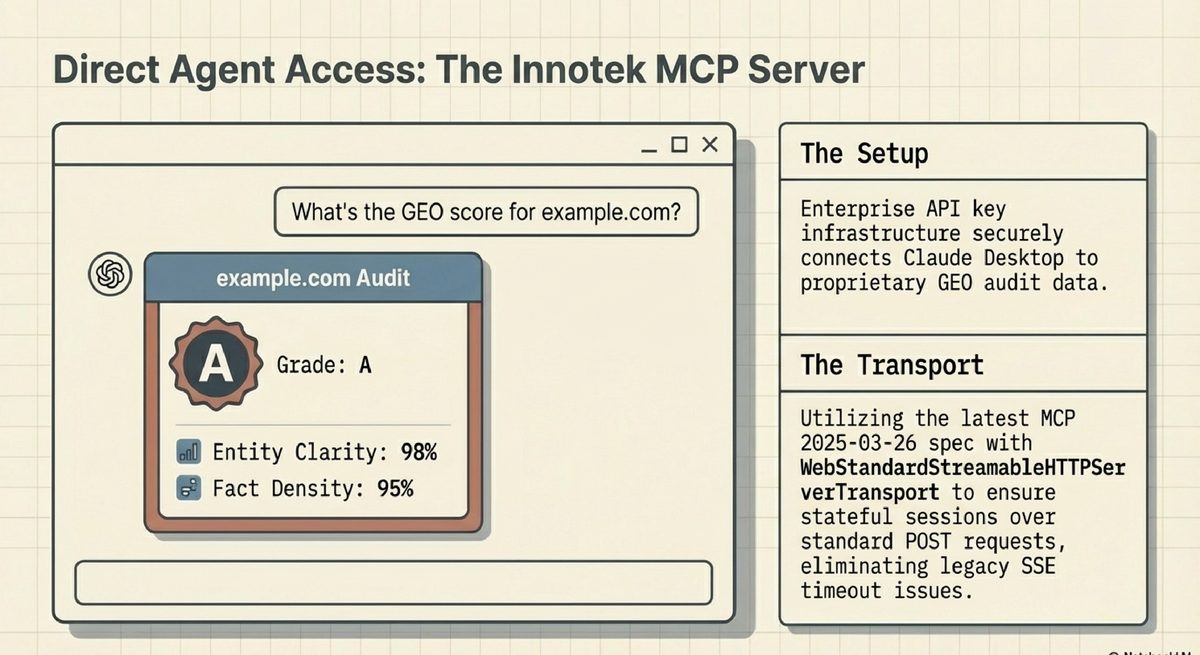
The way professionals interact with their SEO data is changing. Until now, accessing your GEO audit results meant logging into the Innotek console, navigating to your analysis, and copying recommendations by hand. Today, we are announcing a fundamentally different approach.
Innotek AgenticSEO now ships a native Model Context Protocol (MCP) integration for Enterprise users. Once connected, Claude Desktop becomes a direct interface to your SEO data — no browser required.
What Is MCP? The Model Context Protocol is an open standard developed by Anthropic that allows AI models like Claude to securely connect to external data sources and tools. Think of it as a universal adapter: your SEO intelligence lives in Innotek's platform, and MCP lets Claude reach in and use it during any conversation.
What Can You Do? With the Innotek MCP integration active, you can ask Claude natural-language questions that pull live data from your account:
"What is the GEO grade for my website?" — Claude calls get_geo_audit and returns your entity clarity score, fact density, schema completeness, JSON-LD, and llms.txt entry in seconds.
"Summarise the competitor research for example.com" — Claude calls get_competitor_research and surfaces the Gemini-powered research summary, technical SEO gaps, and the optimised llms.txt entry.
"Generate a structured data fix for the missing LocalBusiness schema on my homepage" — Claude calls generate_html_fix, consumes one analysis credit, and returns production-ready HTML you can paste directly into your site.
All three tools are userId-scoped. Claude can only access data that belongs to your account.
How to Connect in 60 Seconds Enterprise subscribers will find a new "API Keys" section on the Subscription Settings page. Generate a key, copy the one-click config snippet, paste it into your Claude Desktop settings file, and restart. That is the entire setup.
For Windows users, a Windows-specific config block handles the path-quoting quirk that affects how Claude Desktop launches Node.js commands — no manual troubleshooting required.
Why This Matters for Agentic SEO Traditional SEO tools are dashboards: you visit them. Agentic SEO tools are participants: they come to you, embedded inside the AI assistant you are already using to write content, draft emails, and analyse competitors.
The Innotek MCP integration is the first step toward a world where your SEO data is a living context layer inside every Claude conversation — automatically informing content decisions, flagging gaps before you publish, and generating fixes on demand.
Enterprise plan required. Generate your API key at Settings → Subscription.